Telstra Passkey Setup for Cable Recovery iPads

Jun 18, 2026
Step 1 – Prerequisites
This method will only work on a Telstra MDM-registered iPad (e.g., Copper Recovery iPads).
The Microsoft Authenticator app can be installed on any work or personal mobile device.
Before you begin:
- Ensure Bluetooth is enabled on both the Telstra MDM iPad and the mobile device where Microsoft Authenticator is installed.
- Keep both devices in close proximity throughout the setup process.
Step 2 – Set Up Microsoft Authenticator
- Install Microsoft Edge from the App Store on the iPad.
- Open Edge and navigate to:
mysignins.microsoft.com/security-info
- Tap Add sign-in method.
- Select Microsoft Authenticator (if it has not already been configured).
- Follow the prompts to set up Microsoft Authenticator for your Telstra account.
Step 3 – Create a Passkey
- In Microsoft Edge, navigate to:
mysignins.microsoft.com/security-info
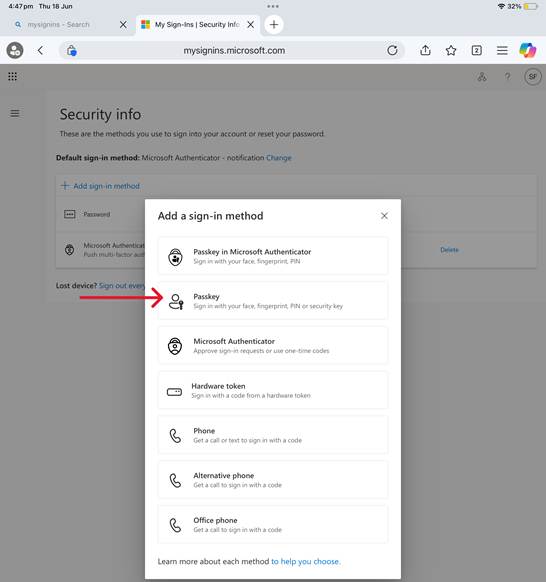
- Tap Add sign-in method and select Passkey.
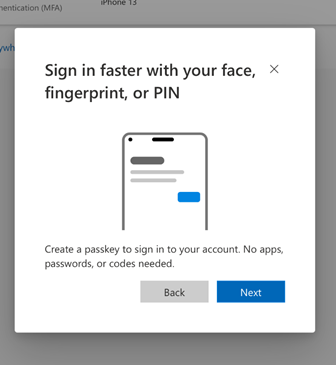
- Tap Next.
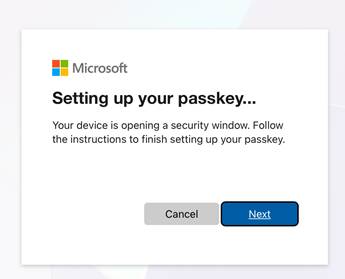
- Select Other options.
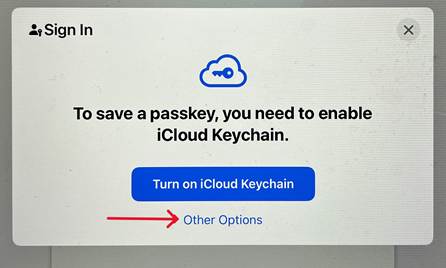
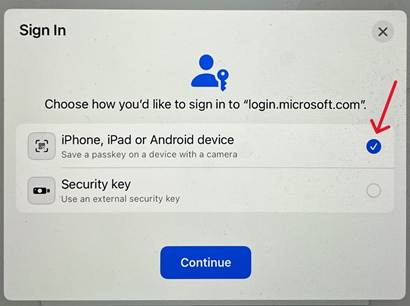
- Choose iPhone, iPad, or Android device and tap Continue.
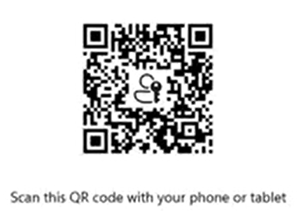
- A QR code will be displayed on the iPad screen.
Step 4 – Register the Passkey
- Open the Microsoft Authenticator app on your phone.
- This must be the same device used in Step 2 to set up Microsoft Authenticator for your Telstra account.
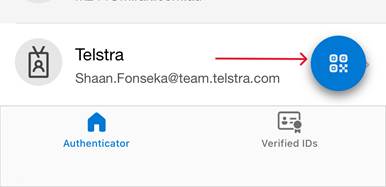
- This must be the same device used in Step 2 to set up Microsoft Authenticator for your Telstra account.
- Scan the QR code displayed on the iPad.
- Tap Continue.
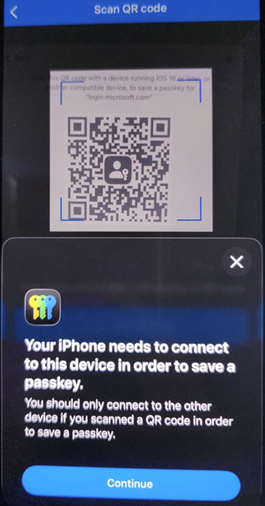
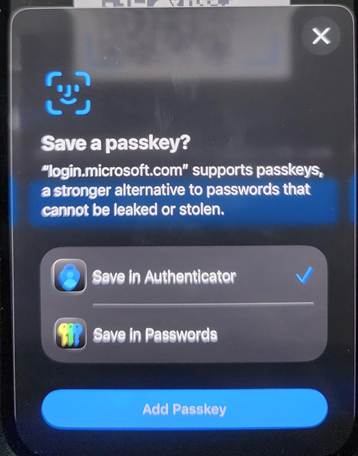
- Ensure Save in Authenticator is selected.
- Tap Add Passkey.
- Return to the iPad and continue through the remaining prompts.
- Enter a name for the Passkey and tap Next.
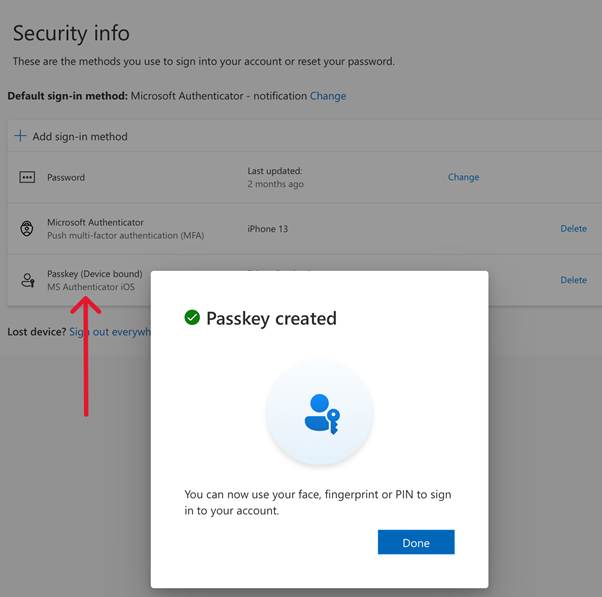
- Tap Done to complete the setup.
Once completed, the Passkey will appear in your Telstra account under the Security Info page.